How to upgrade a Southwest flight ticket?
Yes, it is possible to upgrade your Southwest Airlines flight ticket. You can purchase additional legroom or improved boarding options online or through the app.
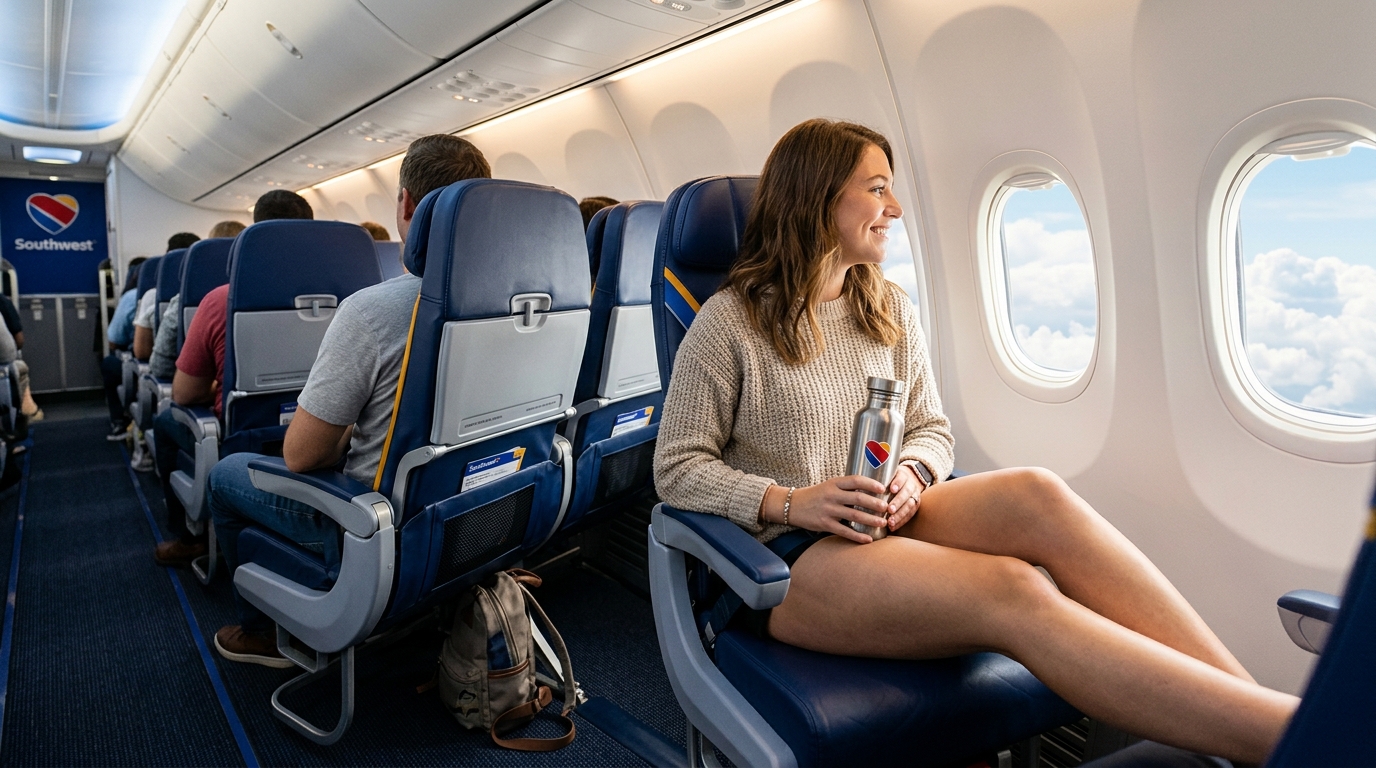
Southwest has no first class. It has no business cabin either. But you can still upgrade your trip for more legroom, a better seat and earlier boarding.
The rules changed this year, and many older guides are now wrong. This post follows Southwest’s current policy. It covers every way to upgrade, what each one includes and how to do it.
Upgrade Your Southwest Flight Step By Step
Here, we mention step by step how to upgrade a Southwest flight:
Access Official Southwest Portal
Go to the official website i.e Southwest.com or open the Southwest app.
Open Manage Reservations
Open Manage Reservations and enter your reservation details (confirmation code and passenger name).
Choose Flight & Select Change
Choose your flight, then click Change to upgrade to a higher fare category.
Select Preferred or Extra Legroom Seat
Or open the seat map to buy an Extra Legroom or Preferred seat directly.
Review Fare Difference
Review the price before you pay. Southwest does not charge change fees, you only pay any fare difference.
Confirm & Save Itinerary
Confirm and save your new confirmation email and updated boarding group details.
Important Fare Rule:
Basic fares are stricter. You need to upgrade to a higher fare before you can make any changes to your flight. Southwest does not charge change fees; you only pay any fare difference. If you are not able to find the option, call Southwest using the number on its official site. Avoid third-party call centers that add fees.
What Changed in 2026
Assigned Seating Replaced Open Seating
Southwest moved from open seating to assigned seating on Jan. 27, 2026. You no longer pick a seat after you board. You pick it when you book, or you get one at check-in.
Numbered Boarding Groups 1 Through 8
Boarding also changed. The old A, B and C groups are gone, replaced by Groups 1 through 8. So tips about EarlyBird Check-In or A1–A15 spots no longer apply.
Southwest’s Four Fare Types
Your fare decides your seat, your boarding group and your flexibility. Review the current fare categories below:
| Fare | Seat | Boarding |
|---|---|---|
| Basic | Standard, assigned at check-in | Group 8 |
| Choice | Standard, chosen at booking | Groups 3–7 |
| Choice Preferred | Preferred, chosen at booking | Groups 3–4 |
| Choice Extra | Extra Legroom, chosen at booking | Group 1 |
Way 1: Upgrade Your Fare
This is the most complete upgrade. If you hold a Basic fare, you can move up to Choice, Choice Preferred or Choice Extra. You pay the fare difference.
Choice Extra (Top Tier)
Choice Extra is Southwest’s best fare. You get an Extra Legroom seat, two free checked bags and a spot in the first boarding group. Your ticket is refundable, and you earn the most Rapid Rewards points. Weight and size limits apply to bags.
Choice Preferred (Mid Tier)
Choice Preferred is the middle step. It includes a preferred seat, earlier boarding (Groups 3–4) and a refundable ticket option.
Way 2: Buy an Extra Legroom Seat
Want more room but don’t want to change your fare? You can buy a better seat on its own. Extra Legroom seats sit at the front of the cabin and near the exit rows. They offer up to 5 more inches of legroom on some aircraft. The exact space depends on the plane.
Preferred seats have standard legroom but sit near the front. This helps if you want to get off quickly.
Standalone Seat Upgrade Rules:
- A separately bought seat can’t be canceled unless you cancel the flight too.
- Seat exchanges are allowed, and a price difference may apply.
- An Extra Legroom seat also lifts your boarding group. On Choice and Choice Preferred fares, you board in Group 2. The basic fare is different. Check your boarding group before you pay.
Way 3: Buy Priority Boarding
If you don’t want to wait and board first, then this is the add-on. Priority Boarding is sold within 24 hours before takeoff, when it is available. Southwest shows the price at purchase, and it varies by flight.
Way 4: Use Status or a Credit Card
Some travelers get upgrades for free through elite status or airline credit cards:
A-List & A-List Preferred Members
A-List members can pick a Preferred or Standard seat for free at booking. They can also upgrade to an open Extra Legroom seat for free within 48 hours of departure. These perks also work for up to eight other people on your booking.
A-List Preferred members can pick any seat they like, even Extra Legroom, when they book.
Credit Cardholder Perks
Cardholders get perks that depend on the specific card tier:
- Priority and Performance Business cards: Pick a Preferred or Standard seat at booking. Upgrade to Extra Legroom within 48 hours of departure.
- Premier cards: Pick a Preferred or Standard seat within 48 hours of departure.
- Plus cards: Pick a Standard seat within 48 hours of departure.
*All of these apply when seats are available.
How Much Does a Southwest Upgrade Cost?
There is no flat price. Cost depends on four primary factors:
Route & Distance
Longer transcontinental routes cost more than short hops.
Flight Capacity
How full the flight is directly influences pricing yield.
Travel Date
Peak holidays, weekends, and summer dates carry premium pricing.
Upgrade Type
A full fare change, standalone seat, or Priority Boarding add-on.
Is a Southwest Upgrade Worth It?
Upgrade your fare
If you check bags or may change your plans. Choice Extra can cost less than buying each perk alone.
Buy just a seat
If you pack light and want more room on a longer flight.
Add Priority Boarding
If you want to board first and guarantee space in the overhead bin.
Skip the upgrade
If your flight is short and a standard seat is fine for your trip.
Tips to Save Money
Compare before you pay
Price the fare upgrade and seat upgrade side by side before checking out.
Book early
Extra Legroom seats go fast on busy business and holiday routes.
Check your status
If you hold A-List or a qualifying card, look for free perks first.
Read the fare rules
Basic fares have the least flexibility and require a fare change first.
Frequently Asked Questions
Final Thoughts
Southwest upgrades are simple now that you choose your own seat. Decide what you need most, compare your options and check the price on Southwest.com before you buy.
Policies change often. Confirm details with Southwest before you book, or explore our complete Southwest Airlines Guide.
Ready to Book Your Next Trip?
Call us today for the best flight deals and personalized assistance